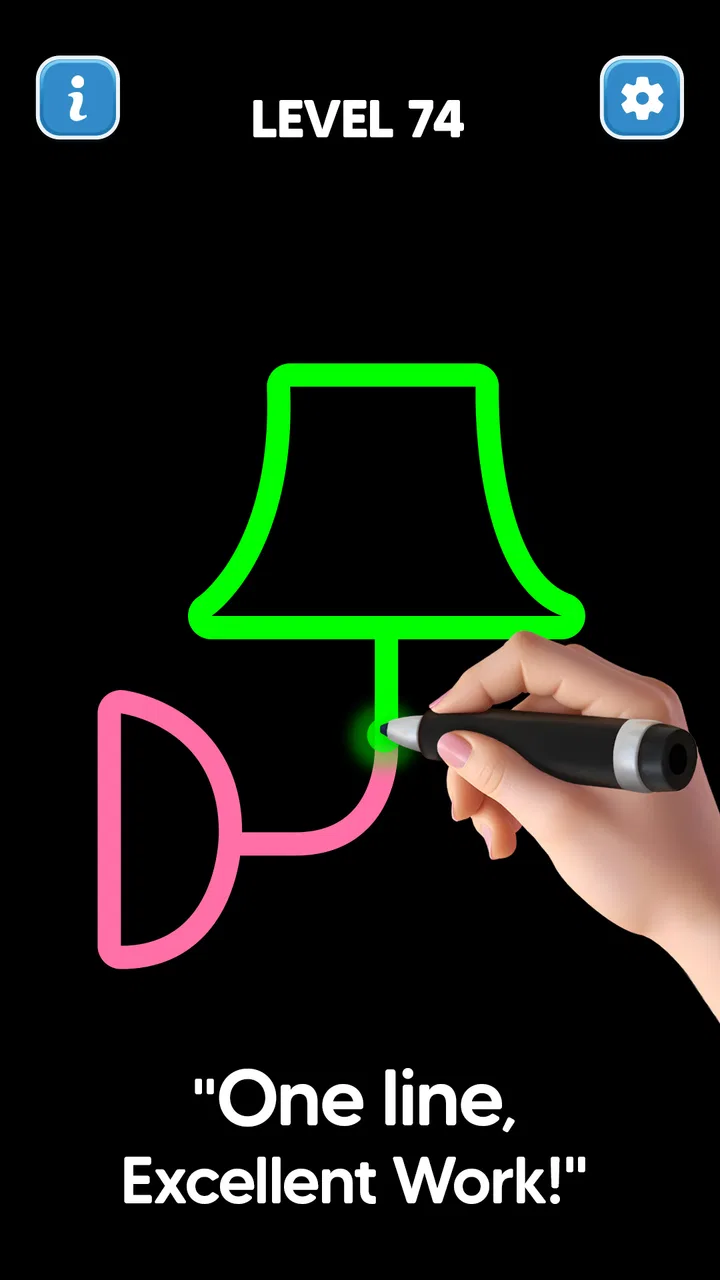
Line Drawing: No Lift Puzzle
- 4.8
- Rating
- 10.00M
- Installs
- Free
- Price
 Analysis by App-foxy
I approached Line Drawing: No Lift Puzzle as a short, focused puzzle game rather than something designed to fill an entire evening. Its central idea is easy to understand: draw a shape by connecting dots while keeping your line moving. That simplicity is exactly what makes it appealing, but it also creates the main source of frustration. A small hesitation, an accidental release, or starting from the wrong point can turn a promising attempt into a restart.
After spending time with it, I found a game that works best when I want a quiet mental break. It does not ask me to learn a complicated rule set before playing, and the line-drawing format makes the first few attempts immediately approachable. At the same time, anyone expecting a broad puzzle adventure, a story, or a large collection of different gameplay systems may find the experience narrower than expected. The pleasure here comes from planning a route and executing it cleanly.
Where the puzzle experience can become difficult
The hardest part is not understanding the objective; it is controlling the order in which the points should be connected. A drawing may look obvious at first glance, yet the correct route can depend on avoiding an early move that leaves an isolated point behind. I quickly learned to stop treating each level like a picture to copy and instead read it as a path that has to be completed without lifting the line.
You May Also Like

 Blood Strike: 2.5 Anniversary
Blood Strike’s Loadouts Turn Every Drop Into a Tactical Gamble
A close look at Blood Strike’s custom loadouts: how fast access to signature weapons reshapes its battle royale rhythm, rewards preparation, and narrows the gap between fights.

 Pandora - Music & Podcasts
Pandora’s Music Is Easy to Start, but Harder to Recover
Pandora’s strength is its low-effort path from a seed to a station. Its weak spot is how much confidence it asks you to place in connection, setup, and quiet recovery.

 8 Ball Pool
 Is Built on Rivalries, Rematches, and Routine
A close look at the rivalries, rematches, shared routines, and unanswered safety questions that turn a quick pool match into a persistent mobile community.

 Samsung Music
’s Quiet Strength Is Playing What You Already Own
Its reach comes less from spectacle than from dependable access to a personal library. That simplicity is both the app’s strongest retention engine and its ceiling.

 AccuWeather: Weather Radar
AccuWeather Review: A Quick, Clear Forecast for Everyday Decisions
For everyday plans, the best forecast is the one you can understand quickly. AccuWeather makes rain timing, radar, and local conditions easy to act on, with a few trade-offs.

 Hill Climb Racing
Why Hill Climb Racing Still Turns Crashes Into One More Run
A tiny car, a bumpy hill and one more upgrade: Hill Climb Racing keeps resurfacing because its simple chaos makes every near-miss feel personal.
More From Our News Desk



That change in mindset matters. When I rushed, I often followed the visual outline without considering where the line would finish. A better approach was to inspect the whole arrangement first, identify awkward end points, and then decide where the route should begin. This is one of the more useful habits the game encourages, because it turns a simple tracing task into a small exercise in sequencing.
New players may also get stuck because the natural impulse is to drag immediately. I recommend taking a moment before touching the screen. Look for points that appear to have fewer possible connections, then work backward from those areas. This does not guarantee an instant solution, but it reduces random attempts and makes the puzzle feel more deliberate.
The control itself is straightforward, though precision still matters. A finger can cover several nearby dots, especially on a smaller phone display. If a move does not register as expected, I would first slow down and use a more controlled gesture rather than assuming the level is broken. Keeping the device steady and beginning directly on the intended point also helps.
Another source of friction is the difference between seeing the final shape and understanding the required movement. The completed image may be visually familiar, but recognizing it does not reveal the route automatically. I enjoyed that distinction because it gives the game more thought than a basic coloring or tracing activity, but it can be surprising for younger players or anyone looking for a purely relaxing drawing toy.
The age rating is Everyone, which fits the accessible presentation and uncomplicated premise. Even so, “easy to understand” does not always mean “easy to solve.” I would happily hand it to someone who enjoys casual logic games, but I would explain that the challenge comes from planning, not from artistic skill.
What to check before blaming a level
When a line fails to behave as expected, I use a simple setup check. First, I make sure the screen is clean and my finger is not sliding across a damp or greasy surface. A drawing game depends on reliable touch input, so a small amount of surface friction can make a careful gesture feel inconsistent.
I also check whether another hand position is blocking the first point. Holding the phone in one hand while drawing with the other gives me a clearer view and makes it easier to follow the route. On a compact screen, that change is more useful than it sounds because it prevents my fingertip from hiding the next connection.
The game runs on Android devices using version 7.0 or later, so compatibility is worth checking before installation. If the game is unavailable or behaves unusually, confirming the operating system is a sensible first step. This is particularly relevant for older phones that may still be used for lightweight games but do not meet the minimum software requirement.
The current version is 0.4.5. Keeping the installation current is another practical check when the experience feels unstable or a touch action seems unreliable. I would not jump straight to reinstalling, though. Closing and reopening the game, checking available device storage, and restarting the phone are less disruptive steps that can resolve ordinary app hiccups.
Because the game is free to download, it is easy to try without committing money at the start. There are in-app purchases ranging from $1.99 to $5.99 per item, so I would still review purchase controls if a child will be using the device. The free entry point is convenient, but the presence of optional spending means the game is not identical to a completely purchase-free puzzle.
My normal setup routine is simple: install it from a compatible device, open it when I have a few uninterrupted minutes, and begin with a clean screen and stable grip. I avoid testing a precision puzzle while the phone is being handled roughly or while I am trying to do something else. That sounds obvious, but many apparent control problems are really attention problems.
How I recover after a failed drawing
When I make a mistake, I resist repeating the same route immediately. Instead, I identify the exact point where the path became impossible. Was I left with an unconnected dot? Did I create a route that could not return to the remaining section? That quick review often reveals more than several fast retries.
A useful recovery method is to divide the shape into sections. I look for a cluster that seems to have a natural entry and exit, then consider how connecting it would affect the rest of the board. This is especially helpful when the design appears symmetrical, because symmetry can tempt me into making a visually pleasing move that is strategically poor.
I also try reversing my thinking. Rather than choosing the first dot that catches my eye, I imagine the final connection and work backward. Some arrangements become clearer when viewed from the end, particularly when one outer point seems likely to be the last stop. This is not a special mode or hidden tool; it is simply a more reliable way to use the information already visible on the screen.
Short pauses improve my results. If I have failed twice through the same mistake, I put the device down for a moment and return with a fresh view. The game is well suited to this because its sessions can be brief. I do not need to preserve a long chain of progress in my head, and a reset feels less costly than in a story-driven game.
For a child, I would turn the recovery process into questions instead of solving the shape for them. Which point looks hardest to reach? Where could the line end? Which move would leave the fewest options? That keeps the puzzle educational and avoids turning the experience into simple copying. For an adult looking for a quick break, the same questions create a small but satisfying mental reset.
One trade-off is that a line-drawing puzzle can feel unforgiving when the touch input is slightly imprecise. I prefer using a fingertip rather than a stylus unless the device handles stylus input naturally, because the game is designed around ordinary touch interaction. If a gesture repeatedly misses, I change the angle and speed of the movement before concluding that the puzzle itself is at fault.
When the phone or environment is the real problem
Not every failed attempt points to a problem inside the game. A busy background process, an overheated phone, or a screen protector that interferes with touch sensitivity can affect any drawing-based interaction. If other apps also respond slowly or miss taps, I would investigate the device rather than treating this puzzle as the culprit.
Notifications can create another distraction. A banner arriving while I am drawing may interrupt my concentration or make me lift my finger. I get better results when I use a quiet moment and reduce interruptions. This is not a requirement for casual play, but it makes a noticeable difference on levels where one continuous gesture matters.
Storage and system health are also worth considering. A phone that is nearly full may behave unpredictably during ordinary use, while an outdated system can create compatibility issues even when an app appears lightweight. Restarting the device after a system update, checking free space, and testing another touch-based app are safe ways to narrow down the cause without making risky changes.
If the game opens but a particular gesture consistently fails, I compare it with simpler taps elsewhere in the interface. If taps work but dragging does not, I focus on finger placement, screen condition, and the speed of the movement. If the entire interface is unresponsive, I close the game and reopen it before considering more drastic troubleshooting.
I would also avoid assuming that a difficult level is malfunctioning simply because the expected route is not immediately visible. The appeal of this format is that the intended solution may require a less obvious starting point. A few failed attempts are part of the puzzle, whereas repeated touch failures across unrelated screens are more likely to indicate a device or installation issue.
How it compares with familiar puzzle alternatives
Compared with match-three games, this one is calmer and less dependent on quick visual reactions. There are no falling pieces competing for attention in the basic concept, so I can concentrate on one route at a time. That makes it a better choice for a short, quiet break, while match-three games remain more satisfying for someone who wants speed, color, and constant movement.
It is also different from classic jigsaw puzzles. A jigsaw rewards recognizing where separate pieces belong, whereas this game asks me to plan a continuous gesture through connected points. The screen may look visually simple, but the challenge is procedural: the order of movement matters as much as the final appearance.
Compared with nonogram or Sudoku-style puzzles, the commitment is lighter. Those games often require maintaining several deductions across a larger grid. Here, I can usually focus on the visible arrangement and the consequences of the next connection. Players who enjoy deep, extended logic sessions may find it too limited, but people who want an approachable puzzle with immediate interaction will likely appreciate that restraint.
It also sits apart from freehand drawing apps. I am not using the screen as an open canvas, and creativity here means finding a route rather than producing an original illustration. That distinction is important. Someone wanting expressive drawing tools should choose a dedicated art app; someone who likes the satisfaction of completing a shape under a movement constraint will find this more focused.
The game’s strong reception is reflected in an average rating of 4.8 from around 66 thousand ratings, and it has passed 10 million installs. Those figures suggest that the simple format has broad appeal, although popularity does not remove the personal question of whether repetition suits me. I enjoyed the clarity, but I would not recommend it to someone who needs constant new mechanics or a strong narrative reason to continue.
Who should try it and who should skip it
I recommend it to casual puzzle players, commuters, families looking for an uncomplicated logic activity, and anyone who likes games that can be understood in seconds but still reward planning. It is particularly suitable for short sessions because I can start with one drawing, stop, and return later without needing to remember a complicated story or inventory.
It is a good fit for players who enjoy improving their process. I found more satisfaction in solving a shape with fewer wasted attempts than in simply reaching the end. The game encourages me to examine mistakes, change my starting point, and make a cleaner plan. That makes it more engaging than a basic tracing exercise.
I would skip it if I want competitive multiplayer, character progression, long-form exploration, or a substantial narrative. I would also look elsewhere if touch precision is a major concern on my device, since continuous drawing leaves less room for accidental movement than ordinary tapping games. A word puzzle or turn-based logic game may be more comfortable for someone who prefers time to think without maintaining a gesture.
For younger users, the Everyone rating makes the premise approachable, but I would still supervise purchases on a shared device. The game can support independent problem-solving, yet frustration may appear when a child understands the goal but struggles with the required route. Offering hints through questions is more useful than taking over the screen.
My practical verdict after using it
Line Drawing: No Lift Puzzle succeeds because it keeps its promise focused: connect the visible points through a continuous line and think carefully about the route. I like that it does not bury the central idea under unnecessary systems. The best moments come when a shape initially looks confusing, then becomes manageable after I identify the correct starting point and protect the final connection.
Its limitations are equally clear. The format may become repetitive for players who need variety, and the experience is sensitive to touch accuracy, screen size, and interruptions. The free price makes it easy to test, but optional items between $1.99 and $5.99 mean families should pay attention to purchase settings. These are manageable concerns, though they matter when deciding who will enjoy it most.
For an everyday scenario, I would use it during a short wait, after finishing a task, or when I want something more engaging than scrolling but less demanding than a full game session. I would open it with a clean screen, study the points before dragging, and treat each failed attempt as information about the route rather than as a reason to rush.
The developer, The Fashion Valley, has built a compact puzzle experience that is easy to approach and surprisingly dependent on careful sequencing. With its 4.8 average and broad install base, it is clearly resonating with many players. My own recommendation is positive but specific: choose it for focused line puzzles and brief mental breaks, not for a deep, constantly changing game. If that sounds like the kind of challenge you enjoy, this free download is worth trying.
FAQs for Line Drawing: No Lift Puzzle
01What is the main objective of Line Drawing: No Lift Puzzle?
The main objective of Line Drawing: No Lift Puzzle is to connect dots on a grid with a continuous line without lifting your finger from the screen. The challenge increases as you progress through levels, requiring strategic thinking and planning to complete the puzzles efficiently.
02Are there any in-app purchases or ads in Line Drawing: No Lift Puzzle?
Yes, Line Drawing: No Lift Puzzle includes in-app purchases and ads. Players can purchase hints or additional levels through microtransactions. Ads may appear between levels, but they can often be removed with a one-time purchase, enhancing the overall gaming experience.
03How difficult are the puzzles in Line Drawing: No Lift Puzzle?
The difficulty of puzzles in Line Drawing: No Lift Puzzle ranges from simple to highly challenging. Early levels are designed to introduce mechanics and build confidence, while later levels require more advanced problem-solving skills to complete. The game caters to both casual players and puzzle enthusiasts.
04Is Line Drawing: No Lift Puzzle available on both Android and iOS?
Yes, Line Drawing: No Lift Puzzle is available for download on both Android and iOS platforms. Users can find it in the Google Play Store for Android devices and the Apple App Store for iOS devices, ensuring a wide accessibility for different smartphone users.
05Does Line Drawing: No Lift Puzzle require an internet connection to play?
Line Drawing: No Lift Puzzle can be played offline, making it a great option for on-the-go gaming without worrying about internet connectivity. However, certain features like in-app purchases or watching ads for additional hints may require an internet connection.
Pros
- Simple yet addictive gameplay.
- No internet connection required.
- Minimalistic and clean design.
- Challenging levels improve focus.
- Suitable for all age groups.
Cons
- Ads can be intrusive at times.
- Limited hints for difficult puzzles.
- No multiplayer or leaderboard options.
- Repetitive background music.
- Occasional crashes on older devices.

Line Drawing: No Lift Puzzle
Gallery